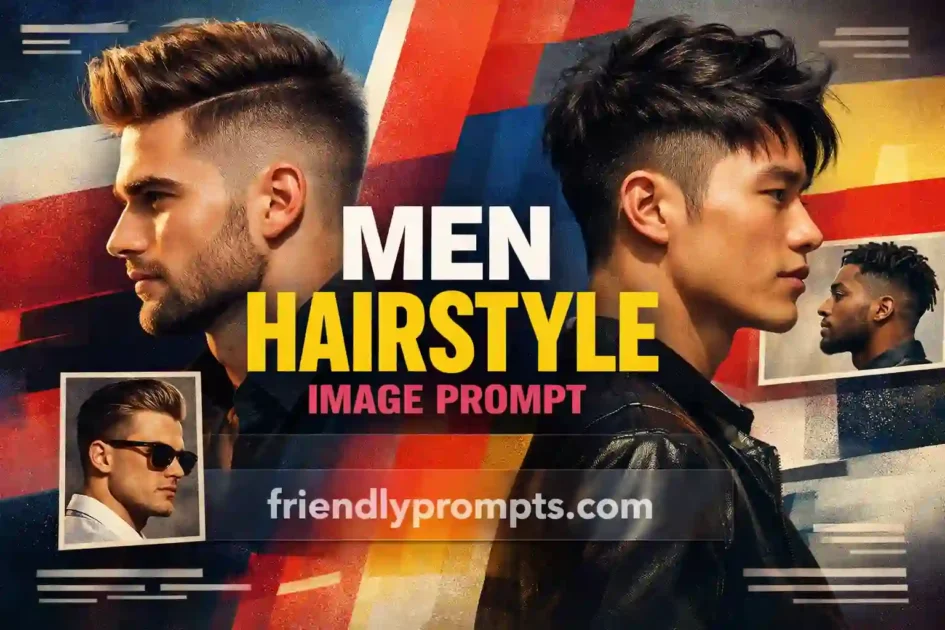
Choosing a new hairstyle is stressful enough without the added guesswork of wondering how it will actually look on you. Most of us have walked into a barbershop with a vague mental image, struggled to describe it, and walked out with something we did not quite expect. That is where ChatGPT image generation prompts come in handy.
By writing the right prompt, you can generate realistic preview images of specific men’s hairstyles before committing to anything. Whether you want to try a textured crop, a slicked-back fade, or longer curtain bangs, you can see a photorealistic version of it first. This guide shares practical, tested prompts that produce clean and realistic haircut visualizations, plus tips on getting better results from each one.
[toc]
10 Tested ChatGPT Men Hairstyle Prompts That Produce Realistic Results
A few years ago, the only way to preview a new haircut was to search stock photos or try a basic face-swap app. Both had serious limitations. Stock photos showed models with different face shapes, and apps often produced cartoonish or distorted results.
AI image generation has changed this significantly. With a well-written prompt, you can specify facial features, hair texture, lighting, and even the angle of the shot. The results are not perfect every single time, but they are often realistic enough to give you genuine confidence before sitting in the barber’s chair.
Here is what makes prompt-based hairstyle previews genuinely useful:
- You can test multiple styles in minutes instead of growing out hair for months
- You can match hairstyles to specific face shapes and skin tones
- You can show the generated image directly to your barber for clearer communication
- You can experiment with bold changes without any actual risk
How to Write Effective Men’s Hairstyle Prompts
The difference between a generic result and a photorealistic hairstyle image comes down to how specific your prompt is. Vague prompts like “man with cool haircut” produce vague outputs. Here is the structure that consistently works well:
The Prompt Formula
A reliable hairstyle prompt includes these elements in order:
- Subject description u2014 age, ethnicity, face shape, skin tone
- Hairstyle specification u2014 exact cut name, length, texture, color
- Styling details u2014 product used, direction of styling, volume level
- Photography context u2014 lighting, background, camera angle, lens
- Quality modifiers u2014 resolution, realism cues
Tips for Better Results
After generating dozens of these images, a few patterns stand out. Specifying “studio portrait lighting” almost always improves realism. Mentioning “shallow depth of field” keeps the focus on the hair. And adding “hair texture visible at strand level” pushes the output toward genuinely photographic quality.
Avoid overloading prompts with conflicting instructions. If you ask for both “messy bedhead” and “perfectly sculpted,” the AI gets confused and produces an awkward middle ground.
10 Tested ChatGPT Men’s Hairstyle Prompts That Produce Realistic Results
Each prompt below has been refined through multiple iterations. Copy them directly or adjust the details to match your preferences.
1. Classic Textured Crop with Skin Fade
A photorealistic portrait of a 28-year-old man with a textured crop haircut and mid skin fade on the sides. Hair on top is 2-3 inches, styled forward with matte clay for a natural, slightly messy finish. Light brown hair color. Clean-shaven face, oval face shape. Shot in a modern barbershop with warm tungsten lighting. 85mm portrait lens, shallow depth of field. Ultra realistic, high resolution.This works well for previewing one of the most popular low-maintenance cuts right now. Adjust the fade height (low, mid, high) and top length to match your preference.
2. Slicked-Back Undercut
Studio portrait of a 32-year-old man with a slicked-back undercut hairstyle. Sides buzzed to a number 2 guard, top hair is 5 inches long, combed straight back with high-shine pomade. Dark black hair, strong jawline, medium skin tone. Neutral gray background, soft diffused lighting from the left. Professional headshot style, ultra realistic detail on individual hair strands.The slicked-back undercut is a staple for professional settings. Mentioning the pomade type (matte vs shine) in your prompt changes the entire character of the result.
3. Natural Curly Top with Tapered Sides
Realistic photo of a 25-year-old Black man with a natural curly top and tapered fade on the sides. Curls are tight and defined, approximately 3 inches of length on top. Clean line-up at the forehead and temples. Warm natural sunlight from a window, indoor setting. Portrait orientation, sharp focus on hair texture. Photographic quality, no artistic filters.For natural curl patterns, specifying the curl tightness and line-up details makes a significant difference in output accuracy.
4. Messy Medium-Length Surfer Hair
Candid-style photo of a 26-year-old man with medium-length wavy hair, roughly chin length, styled in a relaxed surfer look. Sandy blonde color with natural sun-lightened highlights. Hair tucked behind ears on one side, falling naturally on the other. Outdoor beach setting, golden hour lighting. Natural and effortless appearance, photorealistic quality.Longer styles are harder to visualize from barbershop photos because they depend heavily on natural texture. This prompt captures the lived-in, casual feel that makes surfer hair appealing.
5. Buzz Cut with Beard
Close-up portrait of a 35-year-old man with a uniform buzz cut at number 1 guard length all over. Dark brown hair with subtle gray at the temples. Full, well-groomed beard trimmed to half an inch. Square face shape, warm medium skin tone. Clean white background, even studio lighting. Sharp detail, realistic skin texture, professional portrait quality.The buzz cut is straightforward, but pairing it with specific beard details and face shape gives you a much more useful preview of how the overall look comes together.
6. Modern Pompadour
Professional studio photo of a 30-year-old man with a modern pompadour hairstyle. Top is 4-5 inches, swept up and back with volume at the front, gradually reducing height toward the crown. Sides are scissor-cut short, blending into the top without a hard line. Dark hair with subtle brown undertones. Clean-shaven, angular face. Soft ring light, neutral background. Photorealistic, hair detail visible at strand level.The pompadour requires precise volume description. Noting that volume reduces toward the crown prevents the AI from generating an unrealistic uniform height across the whole top.
7. Asian-Style Two-Block Cut
Realistic portrait of a 24-year-old East Asian man with a Korean-style two-block haircut. Top section is 4 inches long, straight and falling forward with a slight side part. Undercut sides disconnected from the top at the temple line. Black hair, side-swept bangs covering part of the forehead. Soft natural window light, minimalist indoor background. High detail, no filters, photographic quality.The two-block cut is extremely popular across East and Southeast Asia. Specifying the disconnection point and bang length gives much more accurate results than simply saying “Korean hairstyle.”
8. Gentleman’s Side Part
Formal portrait of a 40-year-old man with a classic side part hairstyle. Hair is 3 inches on top, combed to the right with a defined part line on the left. Sides tapered short with scissors, no clippers. Salt-and-pepper gray color. Wearing a dark suit collar visible at the bottom of frame. Warm office lighting, dark wood background. Executive portrait style, ultra realistic.For professional or formal settings, including clothing context and background helps you see the full picture of how the hairstyle fits your overall presentation.
9. Long Hair Tied Back (Man Bun)
Natural photo of a 29-year-old man with shoulder-length dark brown hair pulled back into a low man bun at the nape of the neck. A few loose strands framing the face. Light stubble beard, oval face shape. Casual indoor setting with soft natural light. Relaxed expression, shot at eye level. Realistic detail, no glamour lighting, authentic everyday appearance.Man buns look very different depending on placement (high vs low) and how loose or tight they are styled. This prompt specifies a practical, everyday version rather than a fashion editorial look.
10. Textured Fringe with Mid Fade
Portrait of a 27-year-old man with a textured fringe hairstyle and mid fade on the sides. Front hair falls forward onto the forehead in choppy, piece-y layers, approximately 3 inches long. Sides fade from skin at the ear to half an inch at the temples. Light brown hair, rectangular face shape. Barbershop mirror visible in background, warm interior lighting. Photorealistic, detailed hair texture.The textured fringe is forgiving across most face shapes. Specifying “choppy, piece-y layers” communicates the cutting technique better than just saying “textured.”
Adapting These Prompts to Your Features
The prompts above are starting templates. To get results that actually look like a preview of your potential new haircut, you need to adjust them to match your specific features.
Face Shape Adjustments
Replace the face shape descriptor with your own. If you have a round face, longer top lengths with tighter sides generally look best in generated images and in real life. For longer face shapes, avoid adding too much height on top in your prompt.
Hair Texture Matters
Your natural hair texture determines what styles are actually achievable. If you have fine, straight hair, prompts requesting thick, voluminous pompadours will look good in the image but will not translate to reality without significant product. Be honest about your texture in the prompt for useful previews.
Skin Tone and Hair Color
Specifying your actual skin tone and hair color produces previews that feel personal rather than generic. This also helps when showing the image to a barber, because the context makes the style clearer.
Common Mistakes That Produce Unrealistic Results
Not every prompt produces a usable image. Here are the most frequent issues and how to fix them:
- Too many style instructions at once u2014 Asking for a mohawk with a side part and curtain bangs confuses the model. Stick to one clearly defined style per prompt.
- Forgetting lighting context u2014 Without lighting direction, results often look flat or oddly lit. Always specify at least one lighting detail.
- Using brand names or celebrity references u2014 While “Brad Pitt’s haircut from Fight Club” might sound specific, AI models handle physical descriptions much better than pop culture references.
- Skipping the quality modifiers u2014 Without “photorealistic” or “ultra realistic,” you may get artistic or stylized results instead of practical previews.
- Not specifying the angle u2014 Hair looks completely different from the front vs the side. If you want to see the fade, ask for a three-quarter or side view.
How to Use Generated Images with Your Barber
Generated images work best as communication tools, not exact blueprints. Here is how to use them effectively:
Save two or three generated images that capture different angles of the style you want. When you show them to your barber, mention that these are AI-generated references for the general style, not expectations of an exact result. Most experienced barbers appreciate having visual references because it removes ambiguity from verbal descriptions.
Focus the conversation on the elements that matter most to you: the fade height, the top length, the amount of texture, and how much maintenance you are willing to do daily. The generated image gives both of you a shared starting point.
Frequently Asked Questions
Can ChatGPT generate hairstyle images with my actual face?
ChatGPT with DALL-E can generate images based on text descriptions, but it does not use your actual photo by default. You would need to upload a reference photo and ask it to generate variations based on your features, though results vary in accuracy. For the most control, describe your features in detail within the text prompt itself.
Which AI tool produces the most realistic men’s hairstyle images?
As of 2026, Midjourney and DALL-E 3 through ChatGPT produce the most consistently photorealistic results for hairstyle previews. Midjourney tends to excel at artistic quality, while DALL-E handles specific physical descriptions well. Google Gemini’s image generation is also improving rapidly for portrait-style outputs.
How do I make hairstyle prompts work for curly or coily hair textures?
Be very specific about curl pattern, density, and length when stretched versus natural shrinkage. Terms like “3C curl pattern,” “high density,” or “two inches of shrinkage from six inches stretched” give the AI much better context than simply saying “curly hair.”
Are AI-generated hairstyle previews accurate enough to rely on?
They are useful references, not guarantees. AI images show you the general shape, proportion, and vibe of a style on your face type. They cannot account for your exact hair growth patterns, cowlicks, or thickness variations. Treat them as a starting point for the conversation with your barber.
Do I need a paid subscription to generate hairstyle images?
ChatGPT Plus and Midjourney both require paid subscriptions for consistent image generation access. Free-tier options exist but typically have daily limits or lower quality outputs. For occasional hairstyle previews, the free tiers are usually sufficient.
For more on how AI image generation works technically, the DALL-E 3 documentation explains the underlying approach.
n
Related Guides
n
n
Making Your Next Haircut Decision Easier
The gap between imagining a hairstyle and seeing it on something close to your own face has narrowed dramatically. These prompts will not replace a skilled barber’s judgment, but they give you a practical preview tool that did not exist a few years ago.
Start with the prompt closest to the style you are considering, swap in your own features, generate a few variations, and bring the best ones to your next appointment. The worst-case scenario is a more productive conversation with your barber. The best case is walking out genuinely happy with a cut you already knew would work.
If you want to explore image generation prompts for other purposes, our guide on ChatGPT photo enhance prompts covers techniques for refining and improving AI-generated portraits further.