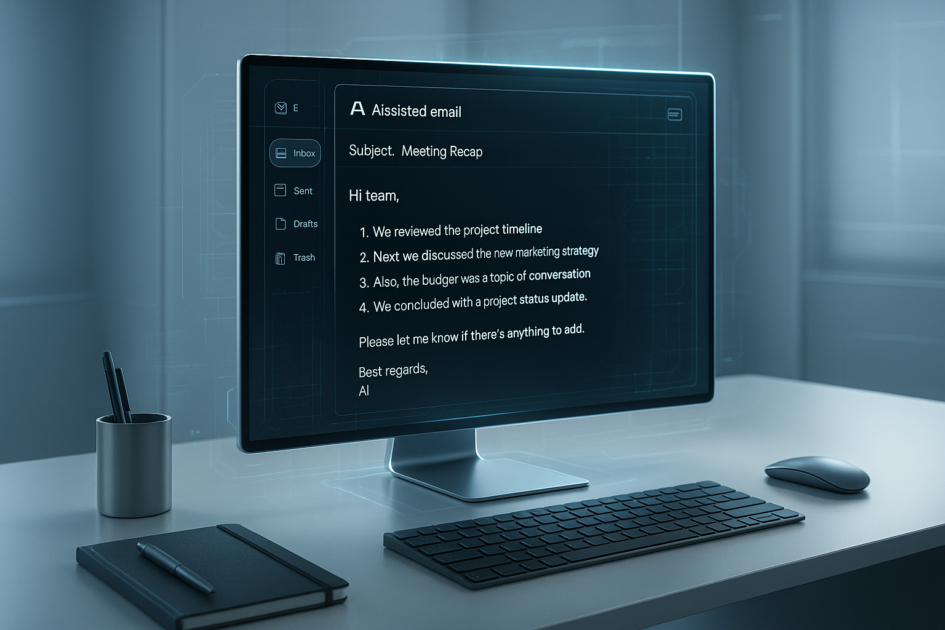
Email Writing Prompts help you write clear, confident, and professional messages in 2025 using smart AI templates that save time and sharpen communication.
Whether you’re drafting quick updates, sharing project decisions, or sending something delicate like feedback or follow-ups, the right wording matters. And now that AI tools can shape your tone, structure, and clarity in seconds, having reliable templates gives you a major edge. Think of these prompts as your personal writing assistant — calm, organised, and always ready with the right phrasing.
Why Email Writing Prompts Matter in 2025
Communication has always been a core professional skill, but in 2025 it’s become a superpower. Remote teams are the norm, messages move faster than meetings, and expectations around clarity are higher than ever. This is exactly where Email Writing Prompts shine.
Instead of staring at a blank screen, you get a structured starting point. Instead of rewriting the same type of message ten times a week, you rely on a tested template that already works. And instead of worrying about tone, AI ensures your message comes across the way you intend — friendly, concise, respectful, or firm.
How to Use AI to Write Clear Emails
AI doesn’t replace your voice — it helps you express it with more clarity and confidence. The key is giving the AI enough context so it understands your goal. That’s where Email Writing Prompts come in. A smart prompt acts like a compass: it directs the AI to focus on tone, structure, intent, and readability.
Here’s a quick workflow many professionals now follow:
- Tell the AI who you’re writing to.
- Describe the purpose of the message.
- Specify the tone (friendly, concise, firm, warm).
- State what outcome you want (reply, approval, action).
- Paste in background notes or bullet points.
With this combination, AI produces clean, polished writing that sounds like you — only clearer.
Smart Email Writing Prompts for Every Situation
Below is a quick preview of the categories we’ll cover. The full templates appear in Section 4.
- Daily work updates
- Professional requests
- Clarifying confusing instructions
- Giving feedback
- Requesting deadlines or approvals
- Follow-ups and reminders
- Conflict-free corrections
- Sales and outreach
- Customer support
- Manager-level communication
Each template is designed to help you save time and avoid misunderstandings — two things everyone appreciates in their inbox.
Copy-Paste Prompt Templates
This is where Email Writing Prompts really go to work. These templates are built to reduce friction, save time, and help you send thoughtful, well-structured messages with almost no effort. Each one follows a clear pattern: provide context, specify tone, and define the outcome. You’ll find prompts for everyday work, professional diplomacy, and moments when you need clarity fast.
Top 4 AI Tools for Creative Writers in 2025: Best Story Prompts
Use these Email Writing Prompts as written or adjust a few words to match your personal voice. They’re designed to work across Gmail, Outlook, ChatGPT, Gemini, Copilot, and most workplace AI tools.
1. Daily Update Email Template
AI Model: ChatGPT / Gemini / Copilot
Write a clear and concise daily work update email. Use a friendly but professional tone. Include sections titled: “What I completed,” “What I’m working on next,” and “Any blockers.” Rewrite my notes below into a polished email that sounds confident and organized. Notes:
How to use: Paste your bullet points under “Notes,” and the AI will turn them into a structured, readable update. Great for remote teams and managers.
Official Tools:
ChatGPT
Gemini
2. Professional Request Email Template
AI Model: ChatGPT / Gemini / Copilot
Write a polite, professional email requesting help or information. Keep it warm and direct. Include a clear reason for the request, a brief explanation of why it's needed, and a simple, actionable call to action. Rewrite my notes as a well-structured message:
How to use: This works well when asking a colleague for data, assistance, access, or clarification.
Official Tool: Microsoft Copilot
3. Clarifying Confusing Instructions
Rewrite my draft into a clear, respectful email asking for clarification about instructions or tasks. Use a professional tone that avoids blame. Include: what I understood, what I need clarified, and why clarification matters. My draft:
How to use: Perfect when you need clarity but want to avoid sounding frustrated or confused.
4. Friendly Follow-Up Email
Write a friendly, gentle follow-up email for someone who hasn’t replied yet. Keep it polite and concise. Reassure the recipient that you understand they’re busy. Include a clear question or next step I need. Rewrite my notes as a polished follow-up:
Why it helps: Follow-ups often sound awkward. This Email Writing Prompt smooths the tone while keeping your message actionable.
5. Polite Deadline Extension Request
Write a polite, professional email requesting a deadline extension. Keep it responsible and respectful. Clearly state the reason, propose a new deadline, and communicate that I want to deliver quality work. Rewrite my draft:
Use when: You need extra time without damaging trust or expectations.
6. Delivering Constructive Feedback
Write a constructive, thoughtful email delivering feedback. Use a respectful tone. Start with appreciation, then explain the feedback clearly and suggest improvements. End with encouragement. Rewrite my outline:
Why it works: Feedback is emotional. This prompt adds structure and diplomacy.
7. Requesting Approval
Write a concise email requesting approval for a task, budget, or project decision. Include a short summary, key points, the requested action, and a polite closing. Rewrite my notes as a clear approval request:
Use case: Perfect for managers, clients, or cross-team requests.
8. Customer Support Response Template
Write a helpful, empathetic customer support email. Acknowledge the issue, express understanding, offer a clear solution, and confirm next steps. Rewrite my notes into a customer-friendly message:
Why it matters: Tone is everything in customer communication. This prompt keeps it human.
9. Sales Outreach Email
Write a short, compelling sales outreach email. Keep it conversational, personalized, and value-focused. Include a hook, a brief pitch, and a simple call to action. Rewrite my notes as an outreach email:
Pro tip: Add 1–2 specific details about the person or company for better results.
10. Conflict-Free Correction Email
Rewrite my message into a calm, respectful correction email. Focus on clarity without embarrassment or blame. State the correct information, explain why it matters, and offer help if needed. My draft:
Use when: Someone made a mistake and you need to address it with kindness.
Final Thoughts
Email Writing Prompts are one of the simplest ways to improve workplace communication in 2025. They remove hesitation, reduce anxiety, and help you express yourself professionally — even when the situation is sensitive or high-stakes. As AI tools evolve, the people who know how to guide them with clear prompts will consistently communicate better, faster, and with more confidence.
Whether you write three emails a day or thirty, having these templates on hand saves mental energy and keeps your messages crisp. Consider building your own internal library of prompts so your team can communicate with the same clarity and tone across the board.
If you rely on AI often, treat your Email Writing Prompts as reusable tools — update them, refine them, and personalize them to match your brand or personality. The more you adapt them, the better they perform.
To deepen your learning, here’s a trusted video resource on writing clearer emails:
How to Write Better Emails (Harvard Business Review)
Related Guides
n
n
Frequently Asked Questions
What are Email Writing Prompts?
Email Writing Prompts are AI-ready templates that help you craft clear, professional messages quickly. They guide tone, structure, and intent so your communication is consistently polished.
Why are Email Writing Prompts useful in 2025?
Workplaces rely heavily on digital communication. Email Writing Prompts save time, reduce misunderstandings, and improve clarity using modern AI tools.
Which AI tools work best with these prompts?
ChatGPT, Gemini, Claude, and Microsoft Copilot all work well. Any tool that accepts structured instructions can generate strong results.
Can these prompts be customized?
Absolutely. The best Email Writing Prompts are the ones tailored to your tone, industry, and brand voice. Adjust them freely.
How many prompts should a team use?
Start with 10–20 covering common scenarios like follow-ups, updates, requests, feedback, and approvals. Expand as you discover recurring patterns.
Do Email Writing Prompts make writing robotic?
No — as long as you customize them. AI templates give you a starting structure, but your own voice makes the message feel natural.
Can these prompts improve customer communication?
Yes. Customer support teams benefit greatly from structured, empathetic templates that prevent miscommunication.
How do I maintain a consistent tone across emails?
Save and reuse Email Writing Prompts that match your preferred communication style. Over time, you’ll build a consistent voice.
Are Email Writing Prompts helpful for non-native English speakers?
Very much. They reduce language barriers by providing ready-made phrasing and tone guidance.
Where can I learn more about effective email writing?
Trusted sources like Harvard Business Review and Grammarly regularly publish research-backed communication advice.
Related: For customer-facing teams, explore our ChatGPT Prompts for Customer Support Replies with real-world templates.
[toc]
If professional communication is your focus, you might also find our ChatGPT prompts for LinkedIn posts useful for building thought leadership alongside your email skills.