What Is an AI Prompt Library?
Before you learn train your own AI prompt library, let’s define what it actually is.
[toc]
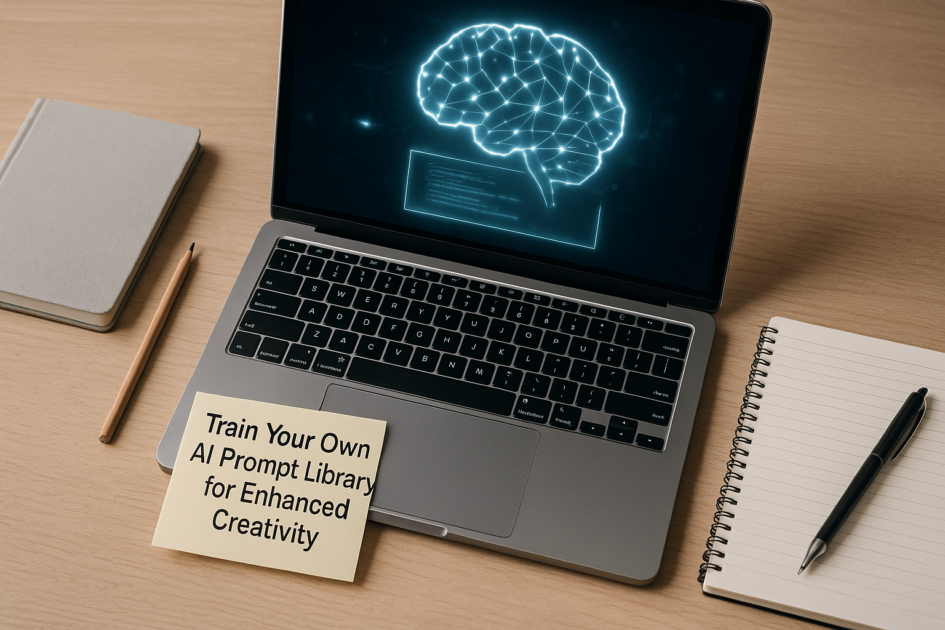
An AI prompt library is a structured collection of prompts you’ve tested, refined, and organized so you can reuse them quickly across projects, tools, and clients. Think of it as your personal “creative operating system” for AI.
Instead of random scraps in Notion, Google Docs, or screenshots on your phone, a real library has:
- Categories (blog, email, design, scripting, strategy, etc.)
- Tags (tone, audience, platform, format, difficulty)
- Versions (v1, v2, “high-converting”, “safe/brand-approved”)
- Notes (what worked, what broke, where to tweak)
When you learn how to train your own AI prompt library, you’re not just saving text; you’re building a system that learns with you. Over time, your prompts get sharper, your outputs improve, and you spend less time wrestling with the model and more time creating.
Why Train Your Own AI Prompt Library in 2025?
In 2025, everyone has access to powerful AI models. What separates average users from power users isn’t the tool; it’s the prompt system behind it. That’s where knowing how to train your own AI prompt library becomes a serious advantage.
1. Speed: From Blank Page to First Draft in Minutes
The blank page is still the slowest part of any creative workflow. When you have a prompt library, you skip that phase almost entirely. You pull a proven template, swap in a few variables (topic, audience, product), and hit generate.
Instead of writing a full prompt every time, you’re just making small edits. That’s how designers, marketers, writers, and developers quietly ship more work with less stress.
2. Consistency: Keep Your Brand and Style Aligned
Whether you’re a solo creator or part of a team, consistency is a big deal. A trained prompt library acts like a brand guide for AI. You can embed tone of voice, banned phrases, preferred formatting, and examples right inside your prompts.
Anyone on the team can use the same library and get similar style and structure in their outputs. That’s a huge win for agencies, startups, and content teams.
3. Quality: Turn “Okay” AI into “Actually Good” AI
Raw AI output is rarely perfect. But prompts that have been tested and refined over time are like seasoned recipes. You already know they work, so every run starts from a higher baseline.
By learning how to train your own AI prompt library, you’ll build a feedback loop: improve the prompt, improve the result, save the upgraded version, repeat.
4. Reusability: Stop Solving the Same Prompt Problem Twice
If you’ve ever thought, “I know I wrote a great prompt for this last month… where is it?” you’re exactly the person who needs a library. Once a prompt works, it should never be lost in the chaos of chat history.
Instead, you store it, tag it, and mark it as “trusted.” Over time, your AI prompt library becomes one of your most valuable business assets.
https://www.youtube.com/watch?v=DGtE0R7MoWw
Core Principles: How to Train Your Own AI Prompt Library
Here’s the good news: training your library is less about coding and more about thinking clearly. You can use tools like ChatGPT, Claude, or Gemini as your main AI engines while your prompt library lives in Notion, Obsidian, Airtable, or even a well-structured Google Doc.
To truly understand how to train your own AI prompt library, keep these core principles in mind:
Principle 1: Think in Systems, Not One-Off Prompts
A single prompt is helpful. A prompt system is game-changing. A system might include:
- A master brief prompt to define project requirements
- A research prompt to collect background info
- A drafting prompt to create the first version
- An editing prompt to improve clarity, style, and structure
- A QA prompt to check for mistakes, bias, or missing pieces
All those live together in your AI prompt library under one workflow, like “Write an SEO blog post” or “Design a product landing page.”
Principle 2: Use Variables, Not Hard-Coded Details
Every time you save a prompt, make it reusable by turning specifics into variables:
Write a 1,500-word blog post about <TOPIC> for <AUDIENCE>.
Tone: <TONE>
Goal: <GOAL>
Primary keyword: <KEYWORD>
This way, your prompt is no longer tied to a single project. It becomes a flexible template inside your AI prompt library that you can adapt in seconds.
Principle 3: Always Capture Inputs, Outputs, and Notes
To truly learn how to train your own AI prompt library, you need a tiny bit of discipline:
- Prompt
- The exact text you used.
- Context
- What you were trying to create (platform, audience, format).
- Best Output
- The result you liked the most, or a cleaned-up version.
- Notes
- What to tweak next time (tone too formal, length too long, missing examples, etc.).
This transforms your prompt library from a folder of text into a database of learning.
Step-by-Step: Building Your First Prompt Library
Let’s walk through a simple, practical flow for how to train your own AI prompt library from scratch.
Step 1: Choose Your Storage Tool
You don’t need anything fancy to start. Here are solid options:
- Notion – Great for tags, filters, and databases.
- Obsidian – Perfect if you like markdown and linking notes.
- Airtable – Good if you want spreadsheet vibes with relations.
- Google Sheets – Simple, accessible, easy to share.
Create a table or database with fields like:
- Prompt title
- Prompt text
- Category (writing, design, strategy, coding, etc.)
- Use case (blog, ad, script, UX copy, etc.)
- AI tool (ChatGPT, Claude, Gemini, Midjourney, etc.)
- Tags (tone, audience, platform)
- Last updated
- Performance rating (1–5)
Step 2: Collect Prompts You Already Use
Start by mining your existing chats with AI tools. Scroll through ChatGPT, Claude, or Gemini and copy:
- Prompts that gave you above-average results
- Prompts you had to refine 2–3 times to get right
- Prompts that solved a recurring task (like summarizing calls or rewriting emails)
Add them into your chosen tool. The goal is to get a “version 0.1” of your AI prompt library quickly.
Step 3: Normalize and Add Variables
Standardize each prompt so it’s reusable:
- Replace specific numbers, names, or brands with placeholders.
- Add clear instructions about tone, length, and output format.
- Ensure the prompt can handle different topics just by changing variables.
For example, instead of:
Write a LinkedIn post announcing our new AI feature for marketers.Use something like:
Write a LinkedIn post announcing <PRODUCT_OR_FEATURE> for <AUDIENCE>.
Goal: <GOAL> (examples: drive signups, build awareness, invite beta users).
Tone: <TONE> (examples: friendly expert, bold and confident, playful but clear).
Include 1–2 short paragraphs and a call to action.
Step 4: Test, Refine, and Rate
Now it’s time to actually train your library by using it in real work:
- Pick a project.
- Choose a relevant prompt from the library.
- Run it in your AI tool of choice.
- Tweak the prompt until you get a strong output.
- Update the prompt in the library with improvements.
- Give it a rating (e.g., 4/5 for “works well, needs light edits”).
This is where how to train your own AI prompt library becomes a habit. Every time you improve a prompt, you save the upgraded version and delete or archive the weaker ones.
Step 5: Create a Simple Usage Workflow
Make it easy to actually use your library daily. For example:
- Start in your prompt library, not in the AI chat.
- Filter by category (e.g., “Blog Creation”).
- Copy a prompt template.
- Paste into ChatGPT (or your tool), fill in the variables, and run it.
- Refine, then paste any improved prompt back into the library as v2.
The smoother this feels, the more likely you are to maintain and grow your AI prompt library over time.
Advanced Techniques for a Smarter Prompt Library
Once you’ve mastered the basics of how to train your own AI prompt library, you can start adding sophistication.
https://friendlyprompts.com/blog/ai-prompting-strategies-2025
Technique 1: Prompt Stacks and Chains
Instead of one giant prompt, break work into a series of prompts, each saved in your library:
- Prompt 1: Generate raw ideas.
- Prompt 2: Select and refine the best ideas.
- Prompt 3: Turn the refined idea into an outline.
- Prompt 4: Turn the outline into a draft.
- Prompt 5: Edit the draft for clarity, tone, and formatting.
Each step is a separate entry in your AI prompt library, but together they form a reusable workflow.
Technique 2: Role-Based Prompting
AI behaves differently based on the role you assign it. You can save role-based prompts such as:
- “You are a senior UX writer…”
- “You are a strict technical editor…”
- “You are a performance marketer…”
- “You are a helpful but skeptical reviewer…”
Store these as “role headers” in your library and prepend them to any task-specific prompt when needed.
Technique 3: Guardrails and Constraints
To ensure safe and aligned outputs, add guardrails directly into your prompts. For example:
- Avoid medical, legal, or financial advice.
- Don’t fabricate statistics or quotes.
- Only use examples that are generic or obviously fictional.
- Ask for clarification if requirements are ambiguous.
For more on prompt best practices and safety, you can explore the official OpenAI prompting guidance and policy documentation on their site, as well as Google DeepMind’s resources on responsible AI practices.
Technique 4: Multi-Tool Prompt Variants
Sometimes the same task runs across multiple AI tools. In that case, keep separate variants in your library:
- ChatGPT variant (optimized for longer reasoning)
- Claude variant (optimized for large-context documents)
- Gemini variant (optimized for Google ecosystem usage)
- Image model variant (Midjourney / DALL·E-like prompts)
Each entry in your AI prompt library can have a “Model” field indicating which tool it’s tuned for.
Creative Use Cases for Your AI Prompt Library
Knowing how to train your own AI prompt library is only useful if it actually helps your work. Here are some concrete ways creators and professionals are using their libraries in 2025.
For Content Creators
- SEO blog outlines, drafts, and meta descriptions
- Short-form social posts (Twitter/X, LinkedIn, Instagram captions)
- YouTube hook ideas, titles, and descriptions
- Newsletter sections and recurring formats
For Designers and Visual Creators
- Structured image prompts for Midjourney or DALL·E
- Brand-safe style templates (colors, moods, lenses, framing)
- Prompt systems for thumbnails, product shots, and hero images
For Marketers and Strategists
- Customer persona generators
- Campaign concept brainstorms
- Email sequence frameworks
- Landing page wireframe copy
For Developers and Tech Folks
- Code explanation and refactoring prompts
- Unit test generation frameworks
- API documentation templates
- System design Q&A prompts
Whatever your role, once you understand how to train your own AI prompt library, you can adapt these patterns to your daily work and drastically shorten the distance between idea and execution.
https://www.youtube.com/watch?v=f3IeLIT_HRc
Ready-to-Use Prompt Library Templates
To make things easier, here are some ready-made, copy-paste prompts you can drop straight into your AI prompt library and adapt. All of them are designed for tools like ChatGPT, Claude, or Gemini.
Each prompt below follows this pattern:
- Clear role and outcome
- Variables you can customize
- Instructions for structure and style
Prompt 1: Master Content Brief Generator
AI Model / Tool: ChatGPT (works with Claude or Gemini too)
You are a senior content strategist.

Create a detailed content brief for a new piece of content.

Project details:
- Content type: <CONTENT_TYPE> (blog post, landing page, email sequence, video script, etc.)
- Topic: <TOPIC>
- Primary audience: <AUDIENCE>
- Goal of the content: <GOAL> (drive signups, build authority, nurture leads, educate, etc.)
- Brand voice: <VOICE> (e.g. calm expert, playful but smart, bold and direct)
- Main keyword (if any): <KEYWORD>

Your content brief must include:
1. One-sentence summary of the piece.
2. Audience description with their main needs, fears, or questions.
3. Key message and unique angle.
4. 5–10 subtopics or sections to cover.
5. Tone and style guidelines.
6. Constraints (what to avoid, off-limits claims, topics we won't touch).
7. Suggested call to action (CTA).
8. Suggestions for visuals or examples.

Return the answer in a clean, skimmable format using headings and bullet points.
How to Use This Prompt
Add this to your AI prompt library under “Strategy > Content Briefs.” Every time you start a new content project, fill in the variables and run it before writing anything. This gives you a strong strategic base for the rest of your prompts.
For more inspiration on content strategy, you can explore high-quality guides from sites like the Content Marketing Institute or HubSpot’s blog on building content frameworks.
Prompt 2: Blog Draft Generator with Editing Pass
AI Model / Tool: ChatGPT (or Claude for longer articles)
You are an experienced blog writer.

First, generate a detailed outline.
Then, write a full draft based on that outline.

Inputs:
- Working title: <TITLE>
- Target audience: <AUDIENCE>
- Primary goal: <GOAL> (rank on Google, generate leads, teach a skill, etc.)
- Main keyword: <KEYWORD>
- Desired length: <WORD_COUNT> words
- Tone: <TONE>

Steps:
1. Propose 3 possible improved titles optimized for clarity and clicks.
2. Create a detailed outline with H2 and H3 headings.
3. Ask me to confirm or adjust the outline.
4. After confirmation, write the full draft section by section.
5. Finally, run an editing pass to:
   - Tighten the language.
   - Remove repetition.
   - Add concrete examples.
   - Ensure the keyword appears naturally.

Return everything in clean markdown with headings.
How to Use This Prompt
Save this in your AI prompt library under “Writing > Long-form Blogs.” It helps you move from idea to polished draft with built-in checkpoints. You can also split it into two prompts: one for outlines and one for drafting, if you prefer smaller steps.
Prompt 3: Brand Voice Calibrator
AI Model / Tool: ChatGPT, Claude, or Gemini
You are a brand voice specialist.

Your job is to understand a brand's tone of voice and then apply it consistently.

Step 1 – Learn the voice:
I will paste 3–5 samples of existing brand copy.
Analyze them and summarize:
- Tone
- Style
- Common phrases or patterns
- Things the brand avoids saying
Wait for the samples before analyzing.

Step 2 – Calibrate:
After your analysis, create a short "Brand Voice Guide" with:
- 3–5 bullet points on how to sound like this brand.
- 3 example sentences that match the voice.
- 3 example sentences that do NOT match the voice.

Step 3 – Apply:
When I say "APPLY VOICE", I will give you new text or a prompt.
Rewrite or generate the content in the learned brand voice.

Stay consistent with this voice for the rest of the conversation unless I say "RESET VOICE".
How to Use This Prompt
Store this under “Branding > Voice.” This is especially useful if you work with multiple clients or products. Once you calibrate the brand voice, you can combine this with other prompts in your AI prompt library (e.g., blog prompts, ad prompts) to keep everything on-brand.
Prompt 4: Personal Prompt Library Builder
AI Model / Tool: ChatGPT
You are my personal "Prompt Librarian."

Your goal is to help me design, organize, and improve my AI prompt library.

Whenever I give you a prompt that works well, do the following:
1. Give the prompt a clear, short title.
2. Identify the category (writing, design, marketing, coding, research, etc.).
3. Extract the variables and rewrite the prompt as a reusable template using <VARIABLES>.
4. Suggest tags (e.g. tone, audience, platform, difficulty).
5. Propose a 1–2 sentence description of when to use this prompt.

Return the result in a structured format like this:

Title:
Category:
Description:
AI Tool:
Tags:
Prompt Template:
Notes:

If I ask, help me group similar prompts into workflows or "prompt stacks."
How to Use This Prompt
This one is meta: it helps you actively learn how to train your own AI prompt library with AI itself. Keep this as a pinned prompt in your chat tool. Whenever something works, run it through this “Prompt Librarian” and then paste the structured result into your Notion, Airtable, or docs.
Final Thoughts
Learning how to train your own AI prompt library isn’t about being more “techy.” It’s about working smarter with the tools you already have.
Instead of treating every new project like a fresh start, you treat it as an opportunity to reuse and refine what’s already working. Over time, your AI prompt library becomes a quiet superpower behind your creative output.
Start small: pick one area of your work (blogs, emails, designs, code) and build a mini library there. Use it for a week. Improve it. Once you feel the difference, you’ll naturally want to expand.
Your future self will thank you every time you open your AI tool, drop in a trusted prompt from your library, and get high-quality results on the first try.
Frequently Asked Questions
Do I need special software to build an AI prompt library?
No. To start, you only need a place to store text: Notion, Google Docs, Sheets, Obsidian, or Airtable all work. What matters most is structure and consistency, not the tool. As you deepen your understanding of how to train your own AI prompt library, you can move to more advanced setups if needed.
How many prompts do I need before it becomes useful?
Even 10–15 well-structured prompts can make a big difference. Focus on the tasks you do most often. As you use and refine them, your AI prompt library will naturally grow and improve over time.
Which AI model is best for using a prompt library?
Most modern language models work well: ChatGPT, Claude, and Gemini are all strong choices. The key is to adapt your prompts slightly to each model and save those variants inside your library so you can reuse them easily.
How often should I update my prompt library?
Any time you significantly improve a prompt or discover a better approach, update it. A weekly or bi-weekly review session works well for many people. The more you iterate, the more powerful your AI prompt library becomes.
Can a prompt library work for teams, not just individuals?
Yes. Shared libraries are extremely valuable for teams. You can keep one central database of approved prompts, align tone and style, and help new team members get productive faster. This is one of the strongest reasons to learn how to train your own AI prompt library in a structured way.